


Your next campaignis already built.
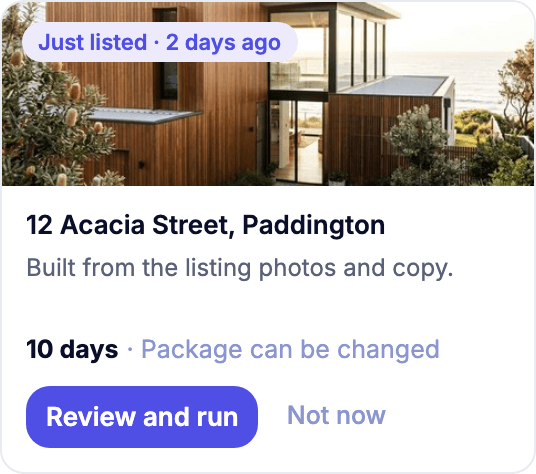
Properti builds ads for your newest listing, your latest sale and your next auction from each listing’s own photos and details. Check it, pick a package, run it on Facebook, Instagram and Google.
 Facebook
 Instagram
 Google
Running ads was never
the hard part.
Starting them is. Three patterns we see over and over, and every one costs you the next listing.
The boosted post
A listing boosted on Facebook with the audience left to guess. Instagram barely sees it and Google never does.
The blank builder
Every field empty and a busy week. So the listing goes live without an ad.
The vendor call
The vendor asks how the campaign is going. You’ve got a screenshot of likes and not much else.
Sellers notice who’s advertising in their street. Properti builds the campaign before you’ve had time to put it off.
Your listing,
already an ad.
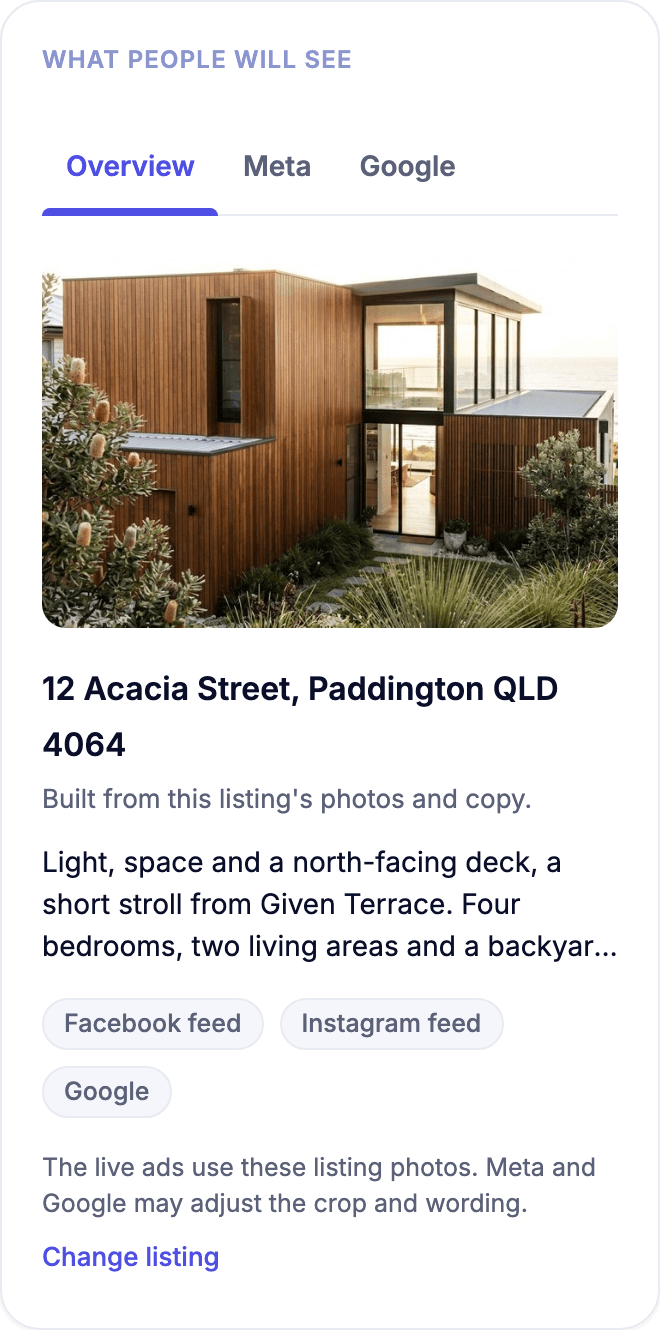
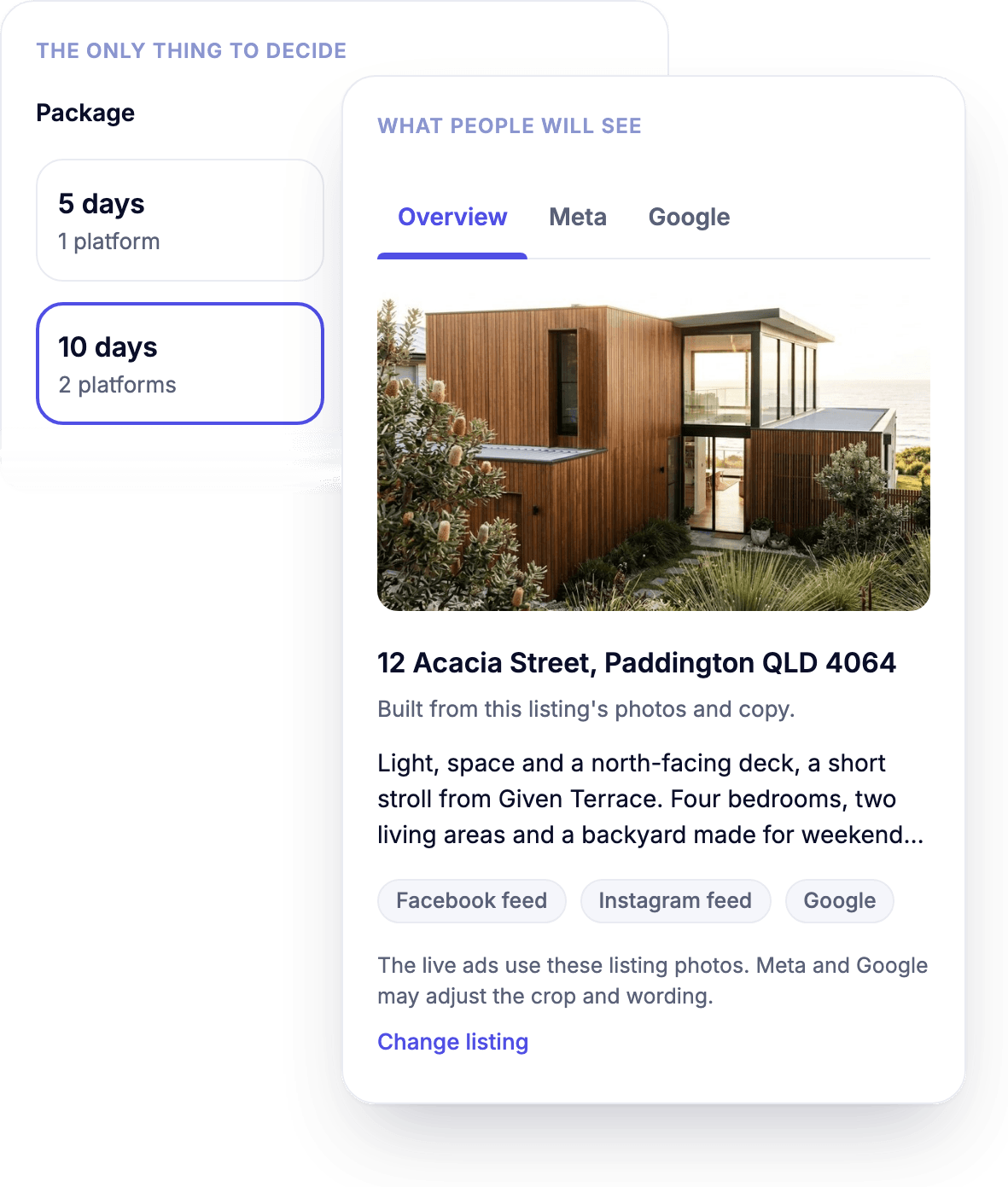
Every campaign is built from the listing’s own photos and details, with the audience set around the listing. Check the preview, pick a package, run it. Nothing is charged until you run it.
Built from the listing’s photos and details
Facebook and Instagram, plus Google on bigger packages
Run a finished campaign again, same budget and length
See who actually saw it.
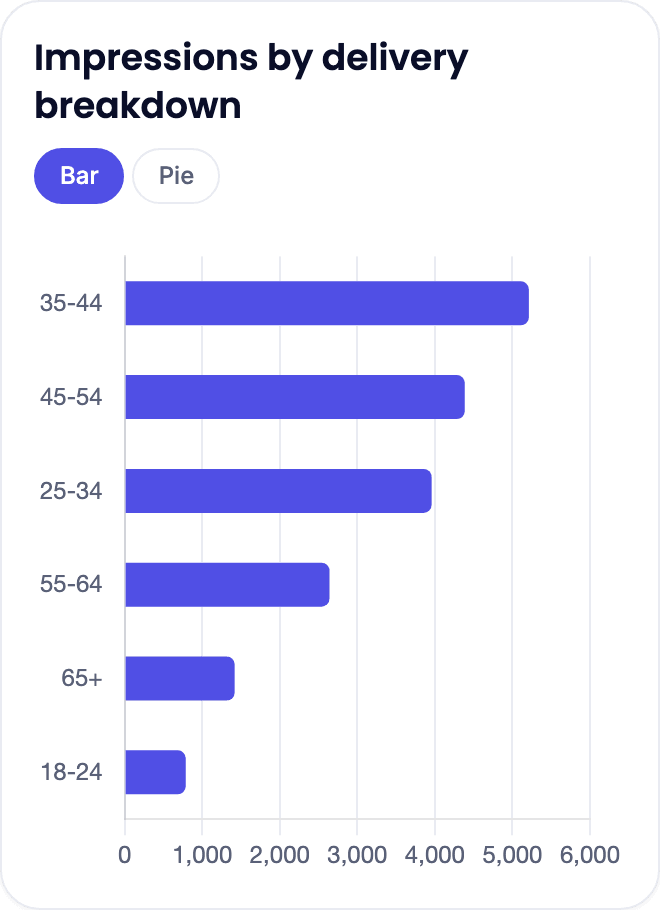
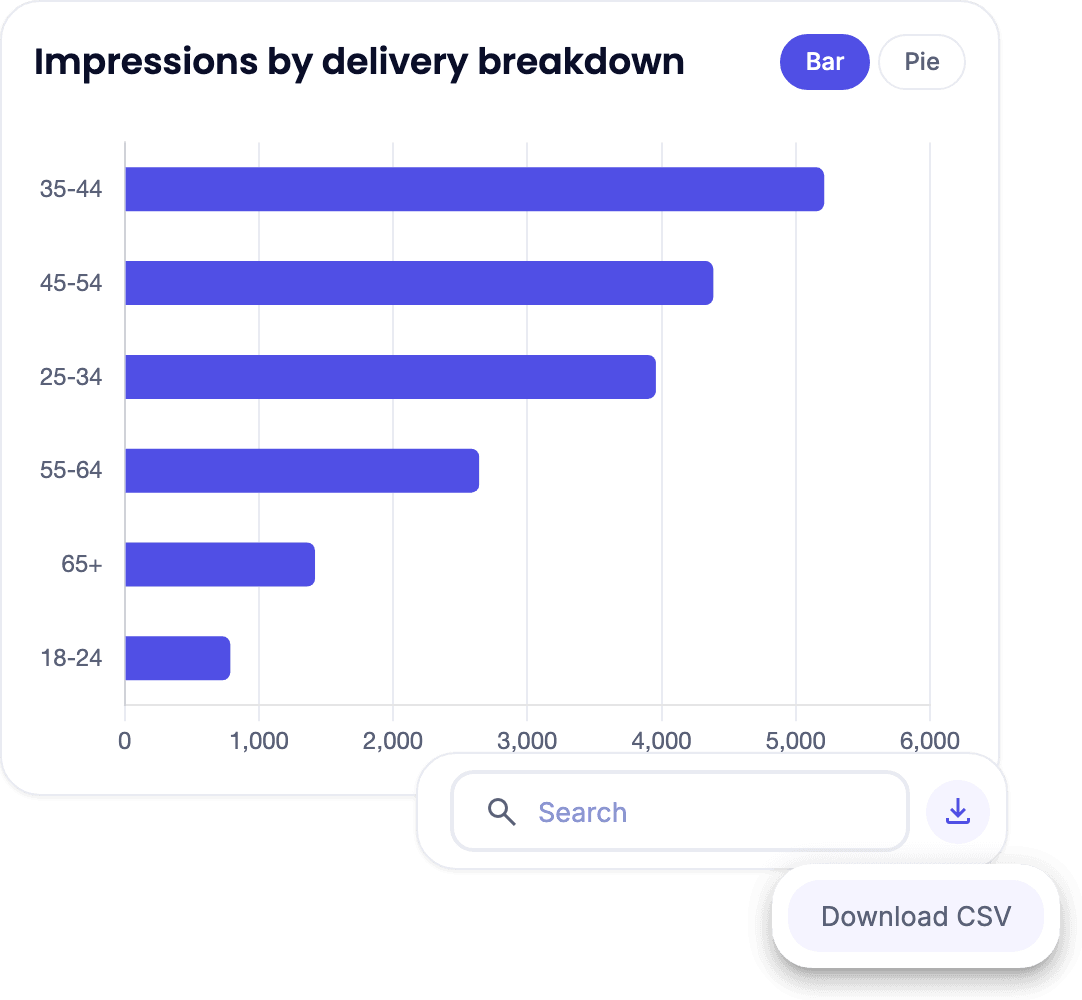
Break a campaign down by age, gender, region and placement on Meta, and by region, device and network on Google. Then export the same numbers as a CSV when the vendor asks.
Age, gender, region and placement on Meta
Region, device and network on Google
Any breakdown exports as a CSV
Your database,
as an audience.
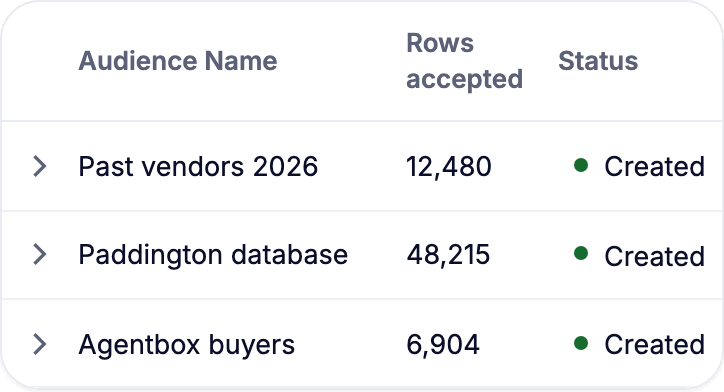
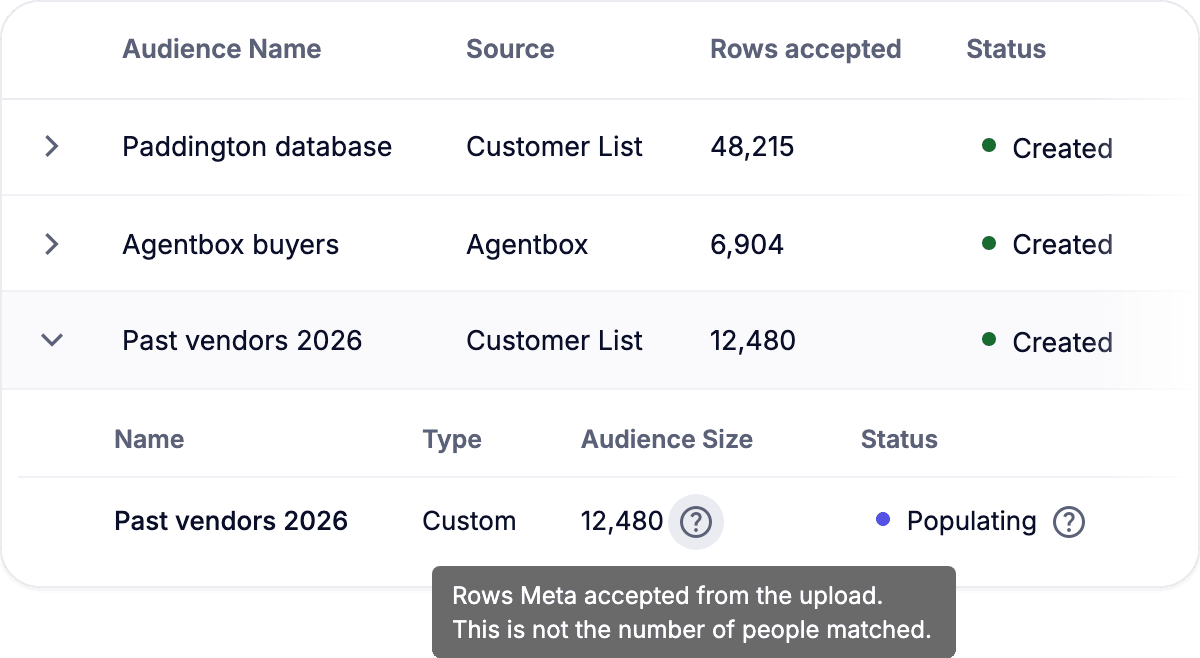
Upload a list from your CRM. See how many rows Meta accepted while the audience populates, then point a campaign at the people who already know you.
Upload a customer list from your CRM
See how many rows Meta accepted
Point a campaign at past vendors and buyers
Same campaign,
three different jobs.
The agent wants the next listing, the office admin wants every listing covered without a blank builder, and head office wants every office running its best creative.
Turn a sale into
the next listing.
Ready to run builds a campaign for your latest sale from the listing’s photos and details, aimed at the area around it. People nearby see who just got the result.
Campaigns for the listings you look after
Facebook and Instagram, plus Google on bigger packages
Show the vendor where the ads ran, by age and region
Every listing covered,
no blank builder.
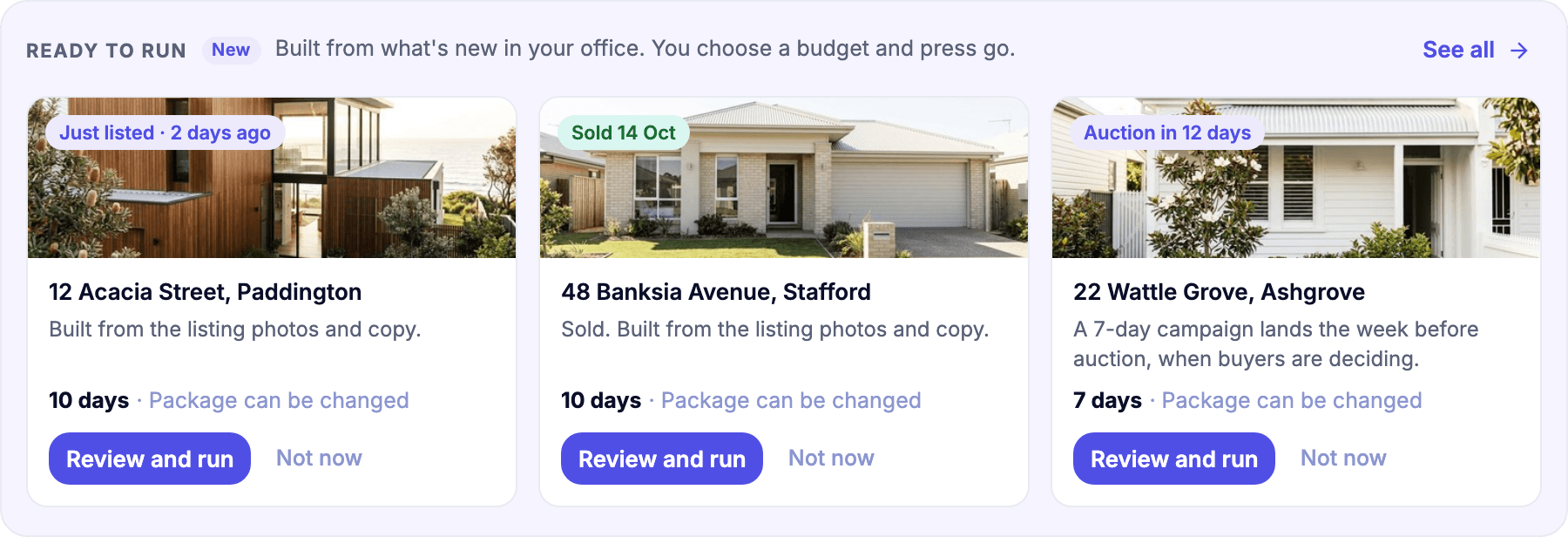
Your newest listing, latest sale and next auction turn up built and waiting on Home and Campaigns. Check it, pick a package, run it.
Run again on finished listing campaigns
Customer lists from your CRM, with the rows Meta accepted
Any breakdown exports as a CSV
Build it once,
every office runs it.
Prepare a campaign once and pick the creative and the offices. It sits first in each office’s row, and each office changes the budget and dates, then runs it.
Creative for Facebook, Instagram and Google
Pick offices or groups, set an expiry
Built for franchise networks
Questions, answered.
Which listings get a campaign built?
Up to three at a time, on Home and Campaigns: your newest listing, your latest sale and your next auction. No auction coming up? You get another listing that’s still on the market. Listings need photos, and ones that already have a published campaign are skipped. If your head office has prepared campaigns for your office, those come first.
Does it run on Google as well as Facebook and Instagram?
Yes, on bigger packages, when your office has Google Ads set up. Smaller packages run on Meta, which chooses where the ads show across Facebook, Instagram and its other apps. The package card shows how many platforms each one covers.
Do I need my own ad accounts?
For Meta, you need Facebook connected in Properti, with a Facebook page. For Google, pay-per-campaign offices in Australia and New Zealand get a Properti-managed Google Ads account switched on automatically. Everyone else connects their own Google Ads account in Apps.
Can I change the budget, length or dates?
Yes. The suggested package is only a starting point, based on your office’s last listing campaign (or the popular package if there isn’t one). Pick another package, or choose Change budget, duration, or dates and set your own. A campaign runs for at least two days.
When am I charged?
Nothing is charged until you press Publish and run it. The screen shows how it will be billed before you do.
Can head office prepare campaigns for every office?
Yes. Head office prepares a Ready to run campaign, picks the creative for Facebook, Instagram and Google, and chooses which offices or groups get it. It sits first in each office’s Ready to run row. Each office can change the name, budget and dates, then runs it. More on how that works for franchise networks.
Can I see who my ads reached?
Yes. Meta campaigns break down by age, gender, region, country, device, platform or placement, and Google campaigns by region, device and network. Download any breakdown as a CSV for the vendor.
Can I advertise to my own database?
Yes, on Meta. Upload a customer list from your CRM in Audiences and Properti shows how many rows Meta accepted. That’s rows accepted, not people matched. Once Meta has built the audience, point a campaign at it.
Ready to market like your best campaign?
See Properti on your listings in a 20-minute demo, or score your visibility free right now.