Ready to run: your next listing campaign is already built
19 October 2026
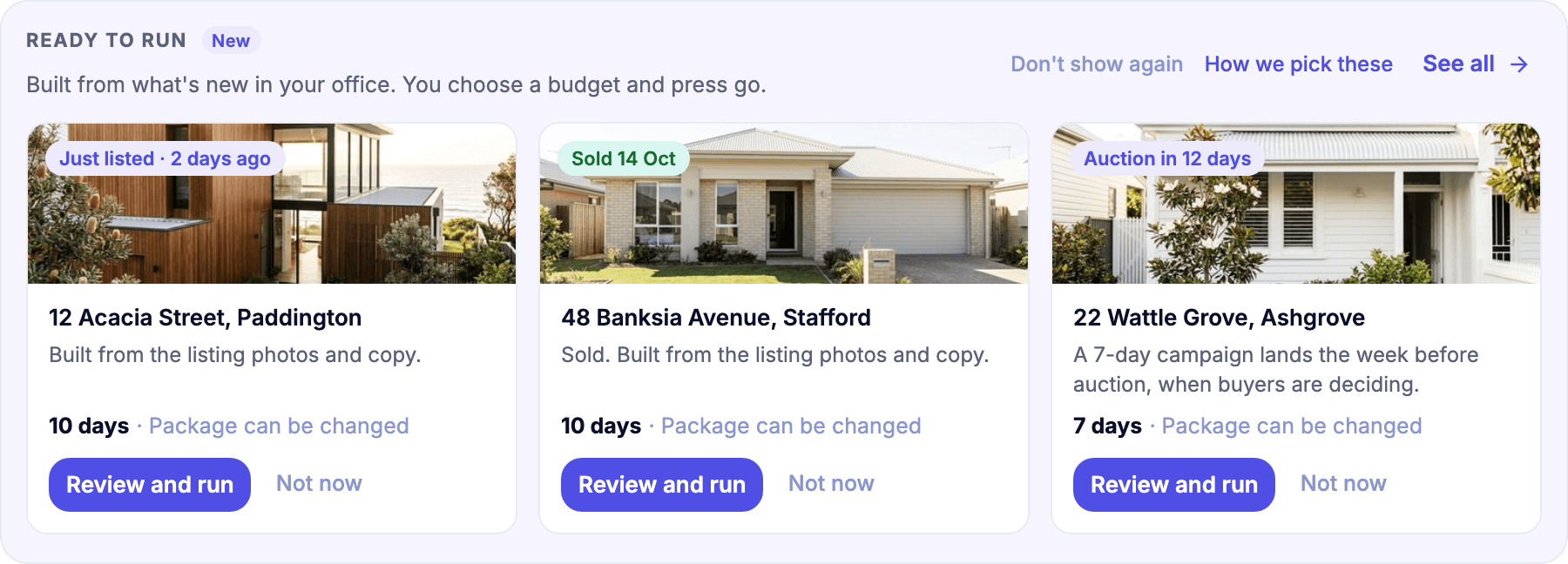
Most listing campaigns don't stall at the ad. They stall at the start. Someone has to dig out the photos, write the copy, pick an audience and land on a budget, usually on a Tuesday between three appraisals. So it waits, and the listing goes quiet in the week it matters most.
So we did the start for you.
Campaigns that are already built
Open Properti and the Ready to run row on Home and Campaigns has up to three listing campaigns waiting, built from your listing photos and copy:
your newest listing
a recent sale
your next auction (or another listing if no auction is coming up)
A listing that already has a campaign running is left out, so you're not doubling up.
Review it, pick a package, publish
Choose Review and run and you land on one screen. On the left, what people will see, with Meta and Google previews. On the right, the only thing left to decide: the package, budget and length together. The suggestion starts from what your office ran last time, and you can change it. The screen also shows the area around the listing your ads will reach.
Happy with it? Publish and run it. Not today? Save for later. A few clicks, either way.

Review and run screen
A couple of smaller things came with it. Finished listing campaigns now have a Run again button in your Campaigns list, which opens a new one with the same budget and length. And if your office hasn't run a campaign yet, the Campaigns page opens on your first one, built and waiting.
Built once by head office, run by every office
If you run a network, this one's for you. Head office can now build a Ready to run campaign once, from its own Creative library, set a suggested budget and length, and choose which offices get it, or offer it to all of them.
Each office sees it as a From head office card, first in its Ready to run row. They check the preview, pick the suggested package or another, and publish. Offices can change the name, budget and dates. The creatives and audience stay exactly as head office set them, so the brand stays the brand. Each office pays for the campaigns it runs, and workspace admins get a notification when head office shares a new one.

From head office card in Ready to run
Who gets it
Ready to run shows for workspace admins and agents once Meta (with a Facebook page) or Google Ads is connected. Listings need photos to be suggested. Head office campaigns need Meta connected in the office, and aren't available for Facebook lead ads yet.
The step by step lives in our help centre: Run a campaign from Ready to run.
Already with Properti? It's waiting on your Home page. Not yet? Book a demo and we'll show you on your own listings.