See and fix what sellers see on your Agent Grader page
By Properti Team · Published 11 November 2026
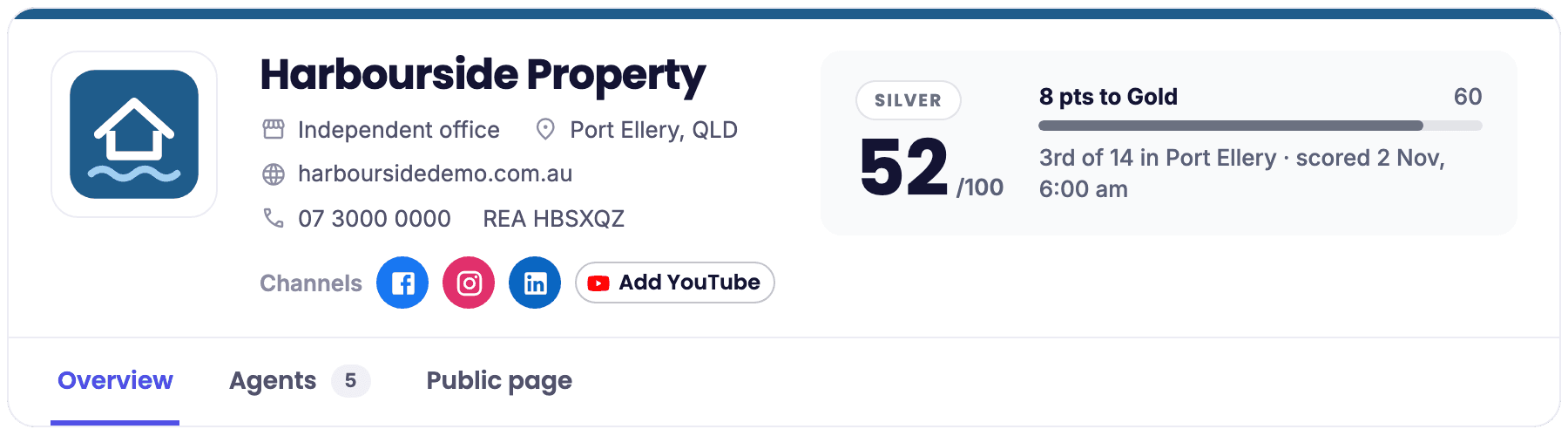
Before a seller calls you, there's a good chance they've already looked you up. On the Agent Grader they see your office's score, your tier, your logo and colours, how you rank in your city and which social channels you're on. Until now, checking that page and fixing what was wrong on it meant leaving Properti.
Now it sits in your sidebar. Click Grader and you see your office the way sellers see it.
See where you stand
The top of the page is your office as sellers see it: logo, tier, agency score out of 100, how many points to the next tier and where you rank in your city.
The Overview tab breaks that score into six parts: Posting, Engagement, Video, Creative, Reach and Reputation. Next to it is a short list of next moves, in the order that would lift your score most. Click one and it takes you straight to the place you fix it. Some of those moves point into Properti itself: scheduling posts, bringing your Facebook ads into Properti, or sending your first review requests.

Score breakdown and next moves on the Overview tab
Fix what sellers see
The Public page tab is where you change what's on your Grader page: office name, phone, website, a short About the office, your logo, brand colours, and your Facebook, Instagram, LinkedIn and YouTube office pages.
Change what you need and click Save. It shows on your Grader page straight away. Changed something you shouldn't have? Use what we found puts a field back to what we read from your realestate.com.au page.

Edit what sellers see on the Public page tab
Get your agents on board
Your office score is built from your agents' scores, so their pages matter too. The Agents tab lists everyone linked to your office with their score and tier. You can link an agent who's missing, unlink someone who's moved on, and invite any agent who hasn't claimed their profile.
Click Invite and you first check the agent's name, job title and photo, so their page is right before they see it. Then you check the text and send it. We send it to the mobile on their Grader profile and add the link to their page, so they can tap straight through to their page and claim it. Filters for Not invited, Invited, Invite failed and Claimed show who still needs a nudge, and Resend or Retry sends it again.
Your agents see and edit their own page
Grader isn't only for admins. Everyone else in your workspace who opens Grader sees their own agent score and breakdown against agents in their suburb, their next moves and their rank, with other agents never named. Once they've claimed their page with a code we text them, they can edit their name, job title, photo and their Facebook, Instagram, LinkedIn and YouTube links themselves.
Getting started
The first time, a workspace admin clicks Link my office and pastes your office's realestate.com.au agency page address. Check it's the right office, confirm, and you're in. It works on every Properti plan except Entry, for any office that's on the Agent Grader.
Step-by-step help is in Use Grader in Properti.